



Helping children thrive in a digital world
Technology is an important part of modern family life. It helps children to learn, create, communicate and have fun. Whether they are completing homework, gaming with friends or exploring new interests, we want every child to enjoy these opportunities safely.
At Bitterne CE Primary School, keeping children safe online is an important part of our safeguarding responsibility. We work closely with families to help children become confident, responsible and respectful digital citizens.
Online safety is taught throughout school and is regularly revisited through Computing, PSHE, collective worship and wider safeguarding activities. Our curriculum is currently being reviewed to ensure it continues to reflect the latest guidance, new technologies and the ever-changing online world.
If something goes wrong
Help your child remember three simple words:

Stop – stop interacting with the person or content.
 Block – block the account or content if possible.

Tell – tell a trusted adult straight away.
Children should never worry about getting into trouble for asking for help.
Key Areas to help Keep your Child Safe Online

Scroll down for practical tips and advice for each area.
Working Together
Children are safest online when school and home work together. Talk regularly with your child about:
- What games or apps are you enjoying?
- Who do you chat to online?
- Has anything online worried you?
- Is there anything you'd like to show me?
Keeping communication open is one of the best ways to help children stay safe.
Gaming
Gaming can be a fun way to learn, play and socialise. Before your child starts a new game, check:
- PEGI age rating
- Chat settings
- Spending controls
- Who they are playing with
Social Media
Most social media platforms have a minimum age of 13. If your child is beginning to explore social media:
- Keep accounts private.
- Review privacy settings together.
- Know who they are communicating with.
- Encourage them to tell an adult if something doesn't feel right.
AI
AI can be a useful learning tool. Encourage children to:
- Use AI responsibly.
- Check that information is accurate.
- Never share personal information.
- Ask an adult if they are unsure.
Videos to Watch Together
Sometimes watching a short video together can start an important conversation.
We recommend:
- Jessie & Friends (ages 4–7) A series of short animations from CEOP that help younger children learn how to stay safe online through stories and discussion.
- Play Like Share (ages 8–10) A three-episode animation from CEOP that follows three friends as they explore gaming, sharing online and communicating safely. It's one of the best resources available for Key Stage 2 pupils.
- Internet Matters Parent Videos Short videos and practical advice to help parents understand online safety, social media, gaming, AI, parental controls and more.
Keeping Up with the Digital World
The online world changes quickly, and so do the challenges children face.
Throughout the year we will share the latest online safety advice, app guides and practical tips through newsletters, our website and ClassDojo, helping families stay informed about new technologies, popular games and emerging online risks.
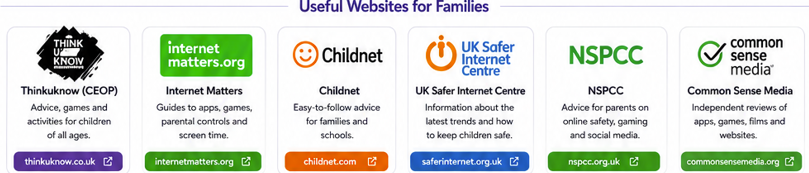
These trusted organisations provide up-to-date advice, videos and practical guidance for families.
Trusted Online Safety Resources
- Safe online during coronavirus
Childline
- Online bullying guide for parents
- Online Safety and Coronavirus
- Keeping your child's phone safe
BBC
- Supporting children to be safe online
- Advice by age: setting controls
- Supporting SEND, LAC and LGBTQ+ children online
UK Safer Internet Centre
- Lots of guidance, support and advice: organisers of annual Internet Safety Day
Get safe Online
- Safe use of computers for parents and children
Thinkuknow
- Support for reporting concerns & activity packs for families
Reporting Harmful Content
- Dealing with and reporting harmful content on the internet
CEOP (Child Exploitation and Online Protection Command)
- Dealing with and reporting harmful content relating specifically to children
Our Policies
For more information, please see:
- Online Safety Policy
- Mobile Phone Policy
- Acceptable Use Agreements
Need Help?
If you are worried about anything your child has seen or experienced online, please contact the school.
We are always happy to offer advice and support. No concern is too small.